
Screenshots
App details
- Updated
- May 8, 2012
- Language
- English
- Developer
- WMA-MP3.com
- Category
- Mobile
SoftPas in:
This product is also available in the following languages:
About Protected Music Converter
Download Protected Music Converter – convert protected music, m4p to mp3, audio converter, music file format change, protected music converter
Overview
Protected Music Converter is a specialized tool designed to address the limitations of protected audio files, particularly those originating from digital music platforms. The application enables users to convert protected formats such as m4p, m4b, and AAC into widely supported, unrestricted formats like MP3, WAV, WMA, and OGG. This functionality is especially valuable for individuals who wish to play their music across multiple devices or platforms that do not support DRM-protected files. The tool is ideal for music enthusiasts, digital archivists, and anyone managing a personal music library with content acquired from services like iTunes or Zune.
By removing format restrictions, Protected Music Converter enhances accessibility and portability of audio content. It simplifies the process of transferring music between smartphones, car stereos, and other audio systems that do not recognize protected files. The application’s focus on format conversion aligns with a growing user need for flexibility in digital media consumption. Despite its niche purpose, the app holds relevance in the broader audio utility ecosystem, offering a practical solution for users facing compatibility barriers.
The developer, Jason K. Menard, has created a focused tool that addresses a specific pain point in audio file management. Although the developer did not provide additional technical details, the app’s long-standing presence since its release on May 8, 2012, suggests a level of reliability and user trust. Its continued availability as a free tool underscores its role as a utility for personal media management.
Key Features & Functionality
- Wide Format Compatibility: Supports conversion of protected audio files including m4p, m4b, AAC, and others into standard formats like MP3, WAV, WMA, and OGG. This ensures broad usability across devices and software platforms.
- User-Friendly Interface: Features a drag-and-drop interface that allows users to upload files with minimal effort. The layout is intuitive, reducing the learning curve for non-technical users.
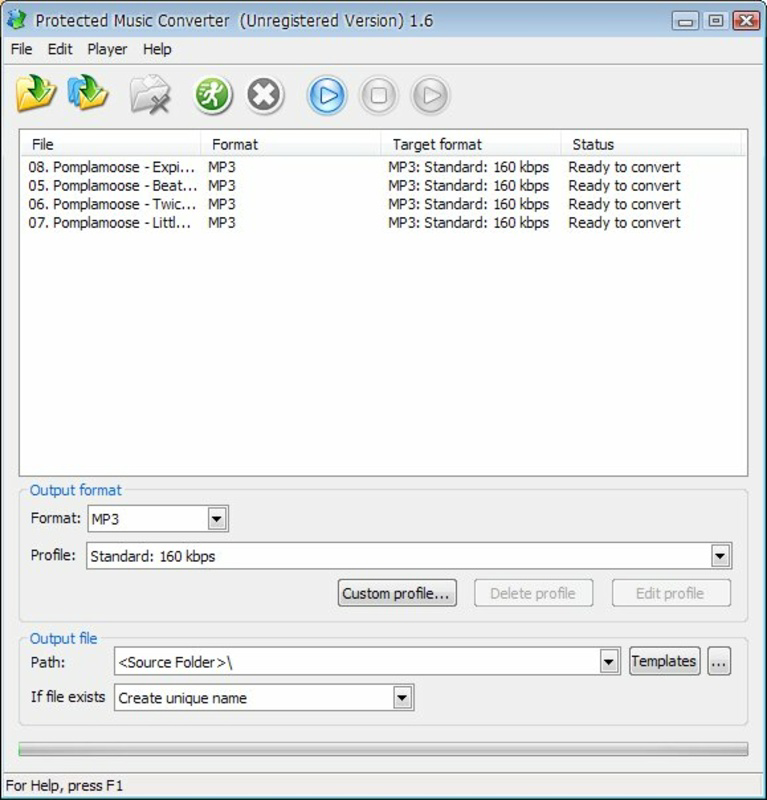
- Batch Conversion Capability: Enables simultaneous processing of multiple files, significantly improving efficiency when managing large music collections.
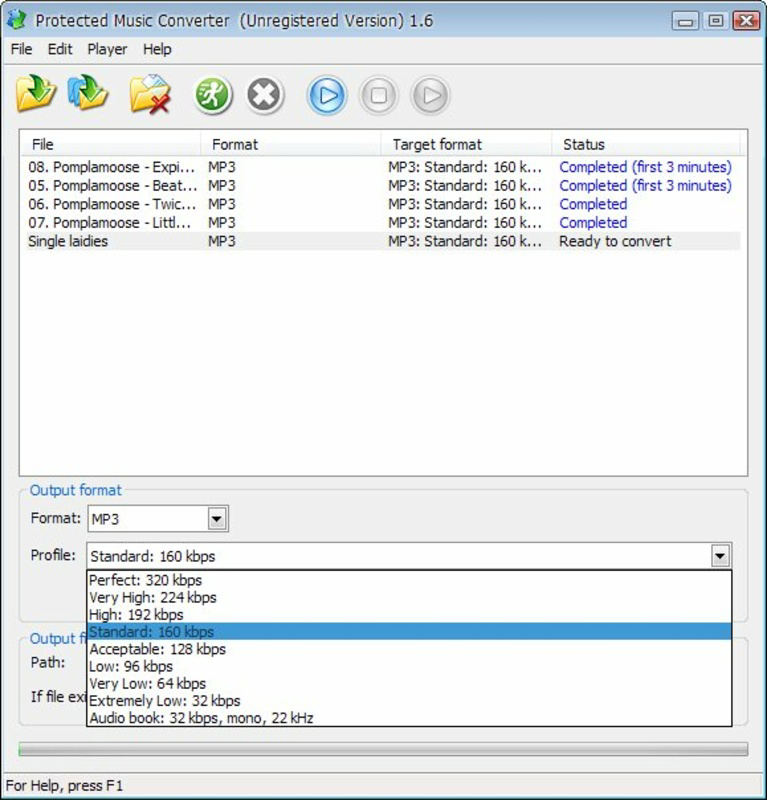
- Lossless Quality Preservation: Offers quality settings that help maintain high audio fidelity during conversion, ensuring the output files remain close to the original sound quality.
- Service-Specific Support: Designed to work with protected music from platforms such as iTunes and Zune, allowing users to convert licensed content for personal use.
For example, a user with a library of iTunes-purchased songs in m4p format can use the app to convert them to MP3, enabling playback on a non-Apple device. Similarly, someone with audiobooks in m4b format can convert them for use on a different audio player. The batch processing feature is particularly useful for users migrating entire music collections to a new system, saving hours of manual effort.
Interface, UX & Performance
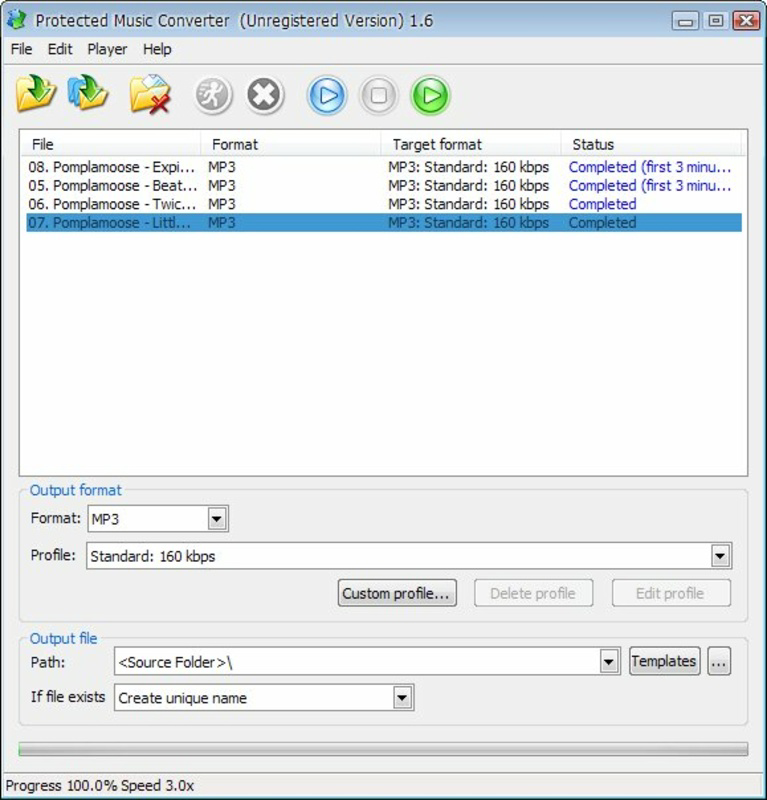
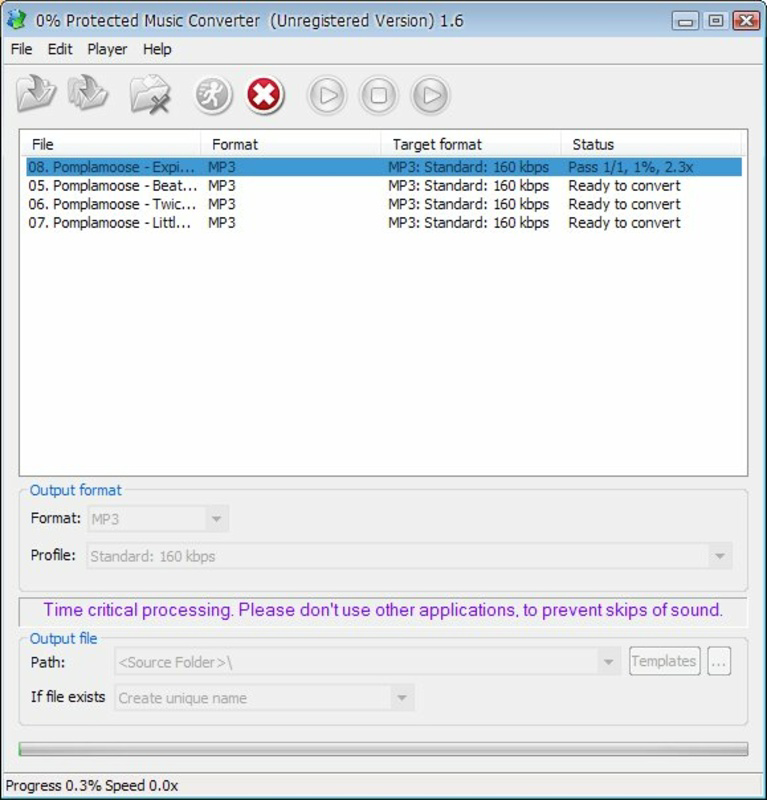
The interface of Protected Music Converter is designed with simplicity in mind. It presents a clean layout with minimal visual clutter, focusing on core functionality: file upload, format selection, and conversion initiation. The drag-and-drop mechanism streamlines the process, allowing users to import files quickly without navigating complex menus.
Navigation is straightforward, with clearly labeled options for output format and quality settings. The application appears responsive during file processing, though the developer did not list formal performance metrics. Users can expect stable operation under normal usage conditions, particularly on devices with adequate processing power and memory.
Although the developer did not specify minimum OS requirements or compatibility details, the app’s lightweight size of 4.5 MB suggests it is optimized for efficient resource usage. It is likely to perform well on mid-range and older systems, though performance may vary depending on device capabilities. Stability during batch conversions has not been publicly documented, but the app’s long-standing presence indicates consistent reliability.
Platform Compatibility & Technical Requirements
Protected Music Converter is available for the Windows platform. The current version is 1.0, with a file size of 4.5 MB. The developer did not specify minimum OS requirements or compatibility details for different Windows versions.
Given the app’s release date in 2012, it may be optimized for older Windows systems. However, its lightweight footprint suggests potential compatibility with modern Windows versions, including Windows 10 and Windows 11, though this is not confirmed. Users should exercise caution when installing on newer systems and ensure the source is secure, especially since the app is distributed as a free download.
Specific requirements such as processor speed, RAM, or storage were not listed. It is recommended to install the application in a trusted environment and verify the file integrity before use.
Pros and Cons
Pros
- Free to download and use, making it accessible for budget-conscious users.
- Supports a wide range of protected audio formats, including m4p, m4b, and AAC.
- Offers batch conversion, improving efficiency for large music libraries.
- Preserves high audio quality during conversion, maintaining sound fidelity.
- Simple drag-and-drop interface suitable for non-technical users.
Cons
- Platform limited to Windows; no information on availability for Android, iOS, or macOS.
- Developer did not provide technical specifications or compatibility details.
- App has not been updated since 2012, raising concerns about long-term security and compatibility.
- Download source and file integrity verification were not specified.
- May not function reliably on modern Windows systems due to outdated development.
FAQ
Is Protected Music Converter safe to download?
The app is available as a free download, but the developer did not provide information about file verification or security checks. Users should download from trusted sources and scan the file with antivirus software before installation.
Can I use Protected Music Converter on Android or iOS?
The app is designed for Windows only. There is no publicly available information about versions for Android or iOS platforms.
Does the app support lossless audio conversion?
Yes, the application is designed to preserve high audio quality during conversion. Users can select quality settings to maintain sound fidelity in the output files.
How do I convert multiple files at once?
Protected Music Converter includes a batch conversion feature. Users can select multiple files at once and process them simultaneously using the same output format and settings.
Is the app still being updated?
The app was last released on May 8, 2012. The developer has not provided updates since then, so it may not be compatible with the latest Windows operating systems.
Final Thoughts
Protected Music Converter remains a functional tool for users seeking to convert protected audio files into standard formats. Its ability to handle m4p, m4b, and AAC files with batch processing and quality preservation makes it a valuable utility for personal music management. While the app’s age and lack of updates raise concerns about security and compatibility, its lightweight design and free access offer a low-risk option for those needing basic format conversion.
It is best suited for users with older Windows systems or those managing legacy music libraries from DRM-protected services. For modern users, alternative tools with updated support and active development may offer better long-term reliability.
Download Protected Music Converter now
Guides & Tutorials
How to install Protected Music Converter
- Click the Download button above.
- Once redirected, accept the terms and click Install.
- Wait for the Protected Music Converter download to finish on your device.
How to use Protected Music Converter
This software is primarily used for its core features described above. Open the app after installation to explore its capabilities.
User Reviews
No reviews yet. Be the first to share your experience.
You may also like
more
Que no te pillen¡
About !Que no te pillen¡Reviewed by Jason A. BilbreyShow MoreShow Less

3D Combat Zone
About 3D Combat ZoneOriginally released in 1983, 3D Combat Zone immerses players...

666: El día del portal
About 666: El día del portalOn June 6, 2006, Agent P. Stone uncovers a sinister...

80 in 1 Best Flash games
About 80 in 1 Best Flash games 80 in 1 Best Flash games is a collection of 80 fl...

ABYSS SEEKERーーWhat Do You See Deep in The Abyss
About ABYSS SEEKERーーWhat Do You See Deep in The AbyssIn ABYSS SEEKER, players...

ACA NEOGEO THE KING OF FIGHTERS 2002 for Windows
About ACA NEOGEO THE KING OF FIGHTERS 2002 for WindowsTHE KING OF FIGHTERS 2002,...